

Getting Started
To use the Clickatell provider in the SMS channel, the first step is to create a Clickatell account and add your API key to the Clickatell integration on the Novu web dashboard.Retrieving your API Key
To find your Clickatell API key:- Sign up or Login to your Clickatell account.
-
Click on the
My Workspace, and then clickSMSin Channels Section.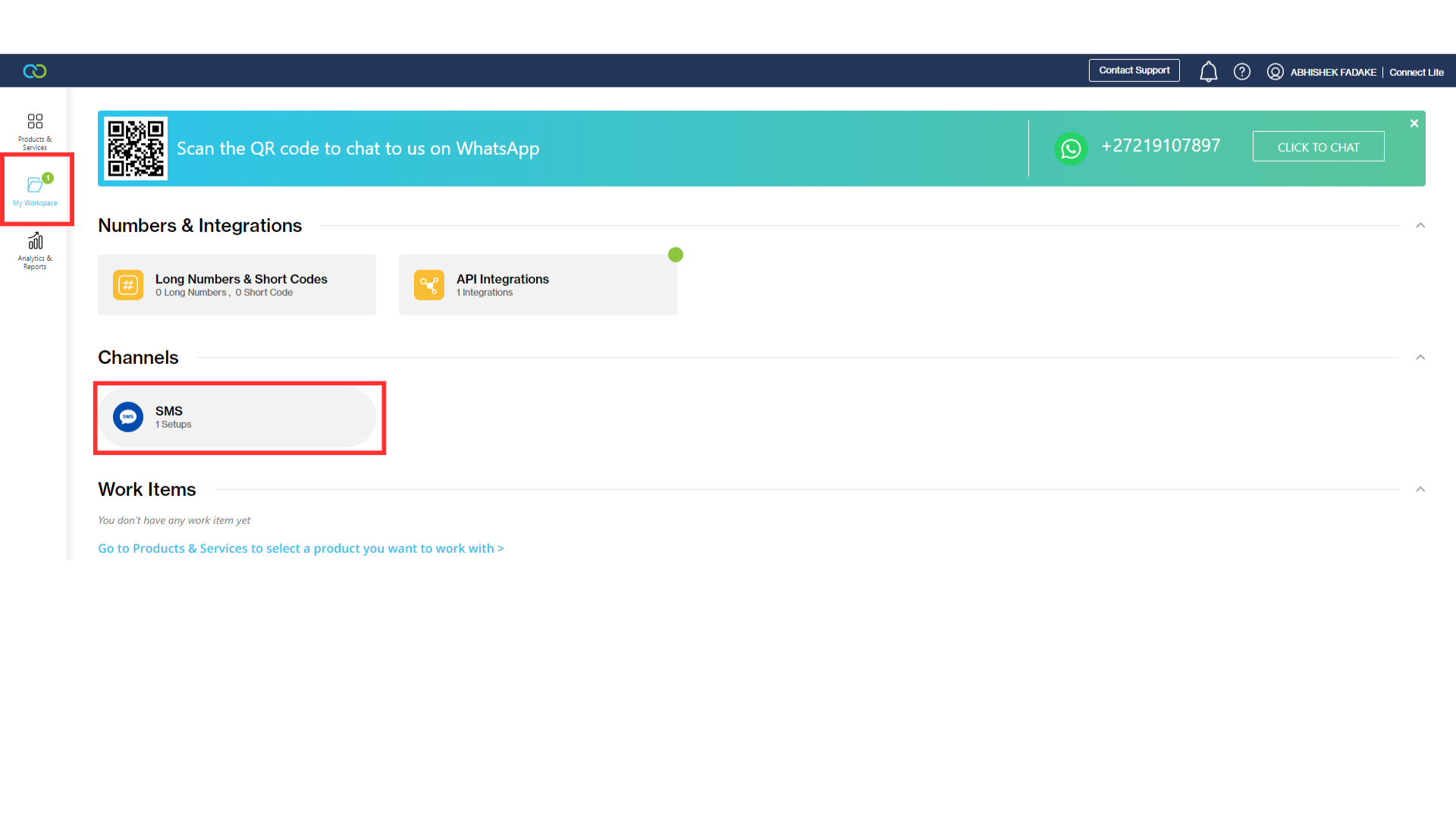
-
Click on the
New SMS Setup.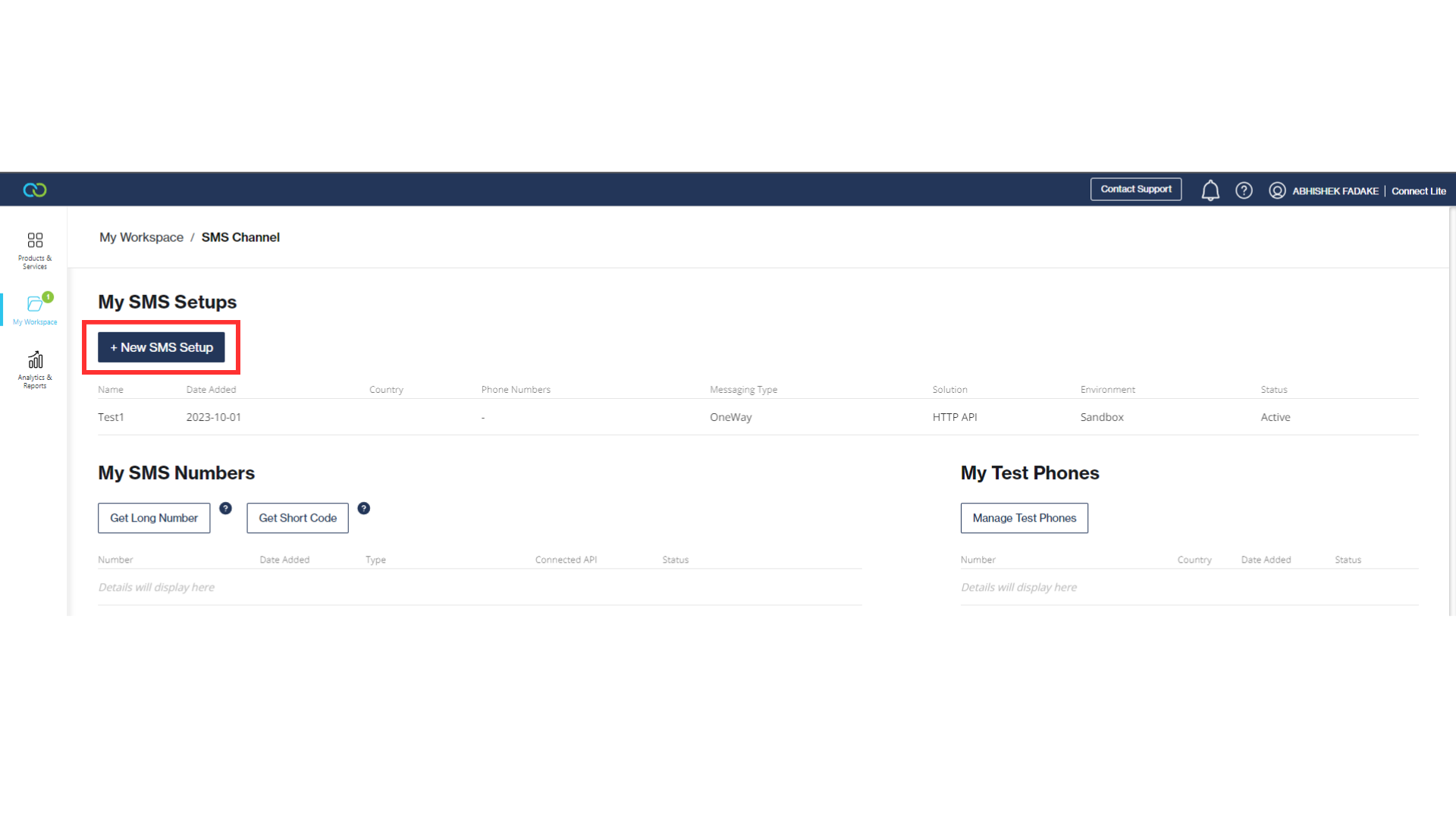
-
Select
APIthenMessaging Typeand click Next.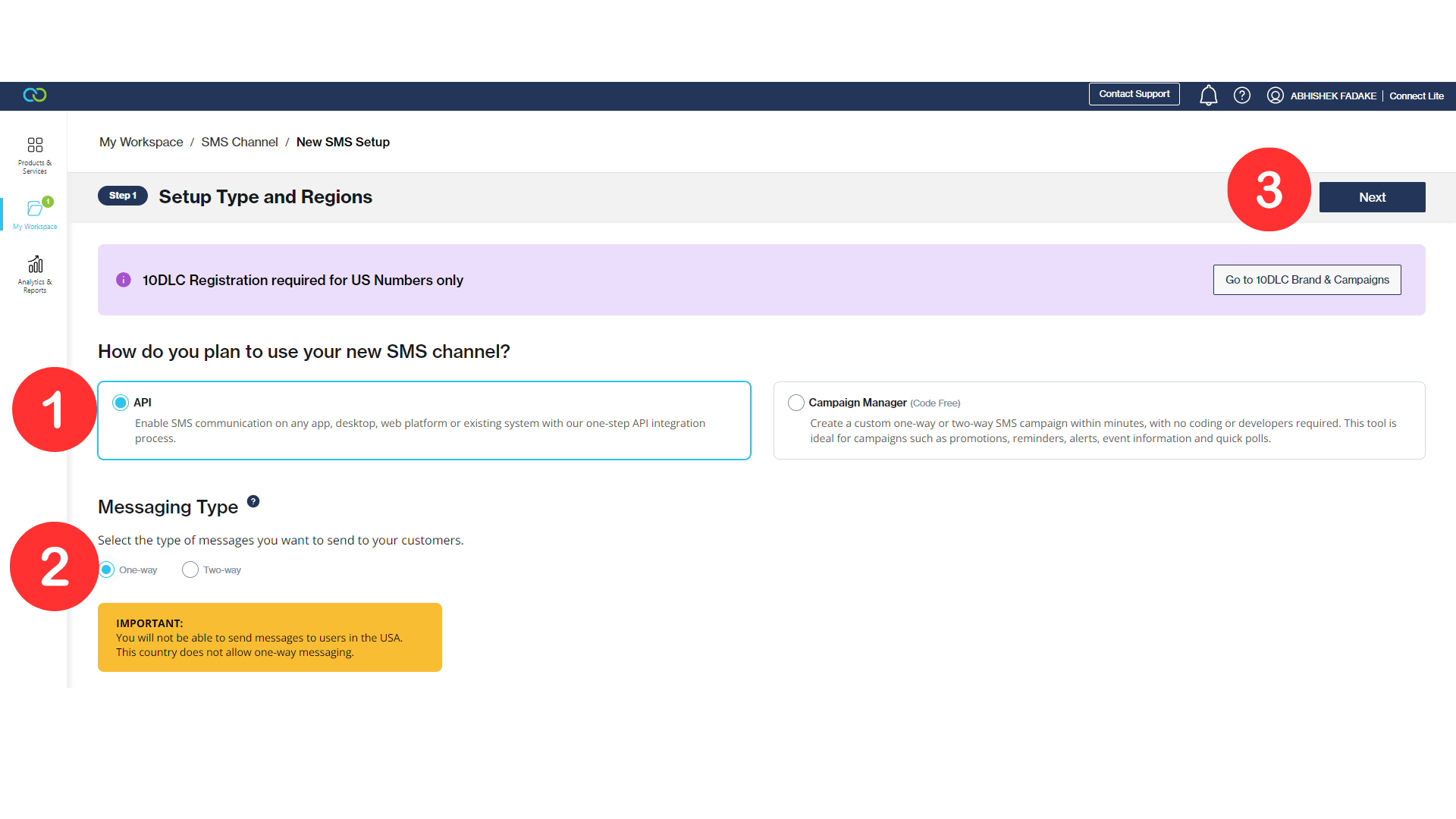
-
Select
Basic HTTP APIthencreate a new HTTP APIand click Next.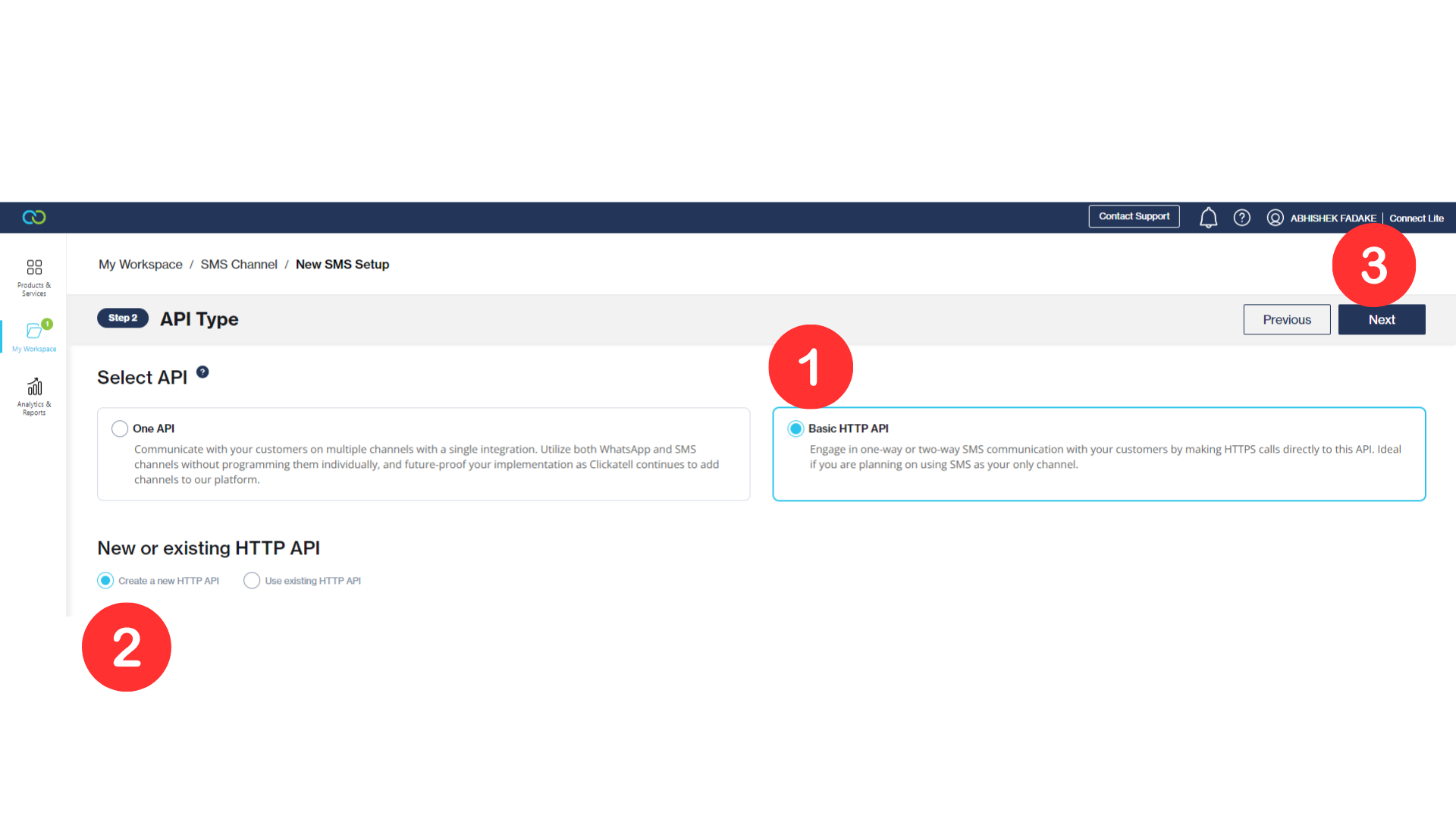
-
Now fill in all details and Click Next.
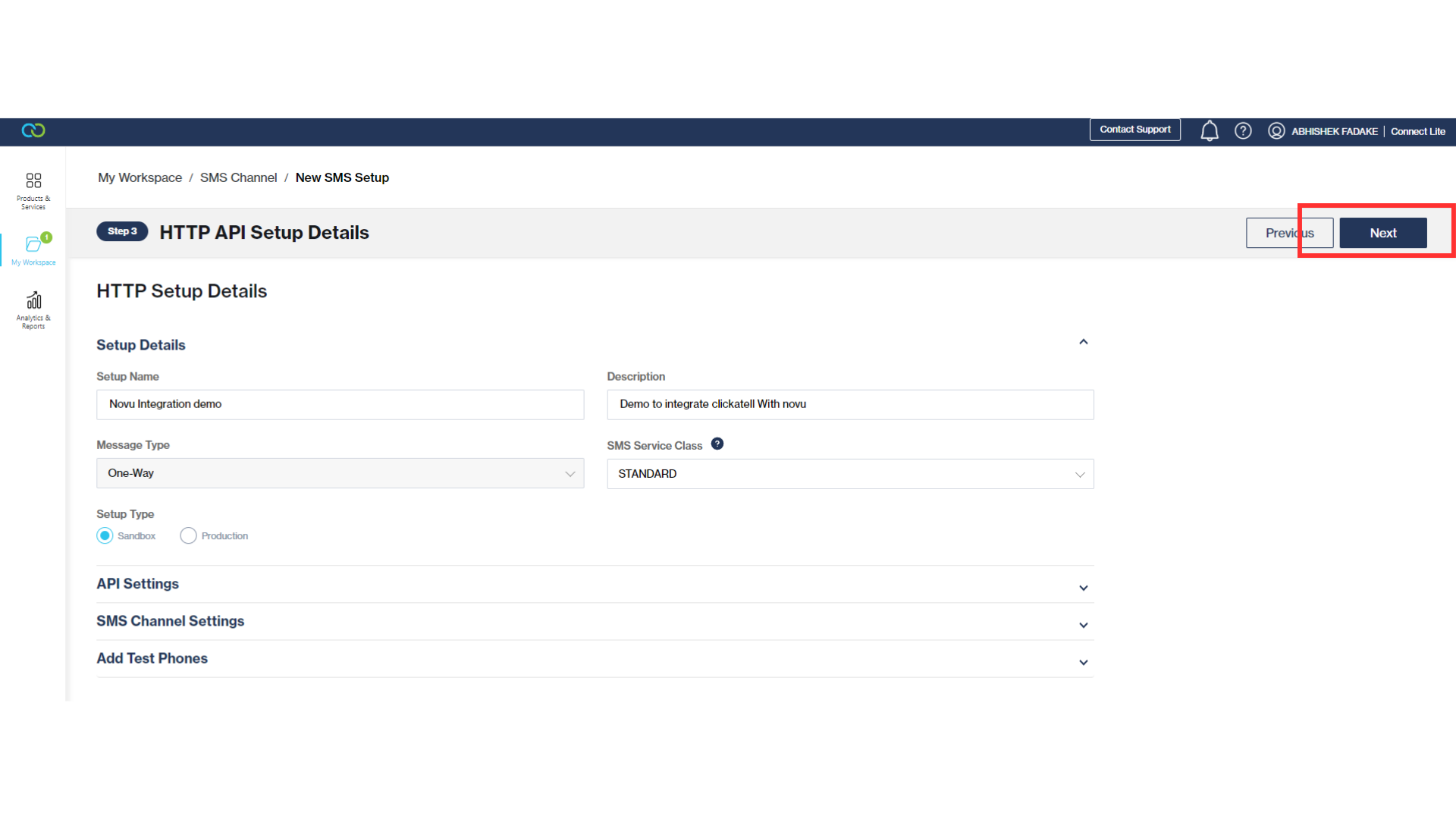
-
Copy the API key and click complete.
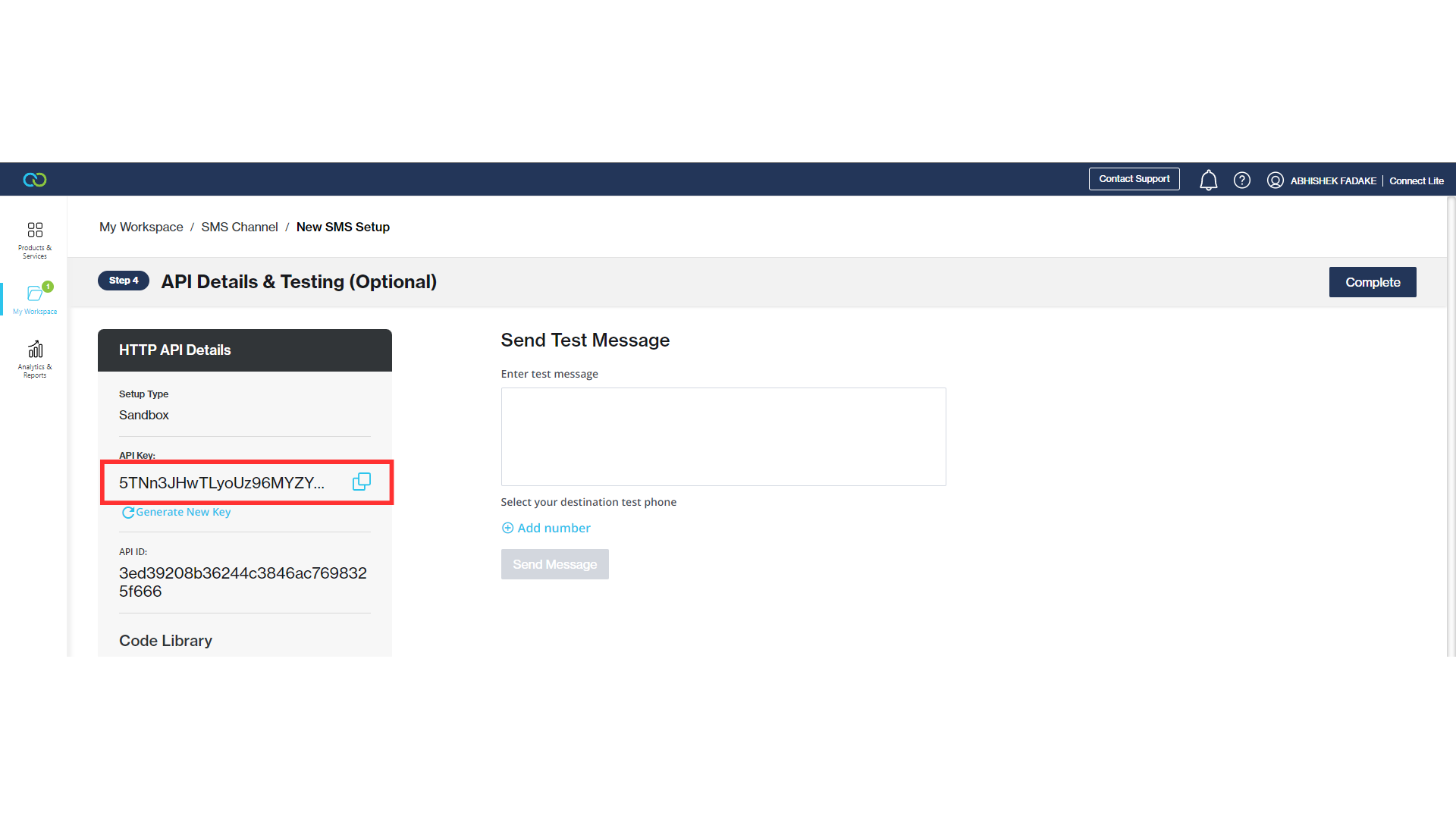
Create a Clickatell integration with Novu
- Visit the Integrations page on Novu.
- Click the “Add a provider” button.
- Locate Clickatell under the SMS section and click on the Connect button.
- Enter your Clickatell API Key.
- Click on the
Disabledbutton and mark it asActive. - Click on the Connect button.