

Getting Started
To use the Infobip provider in the SMS channel, you will need to create an Infobip account and add your API key and Base URL to the Infobip integration on the Novu platform.Retrieving your API Key
To Find a new API key in Infobip, you can follow these steps: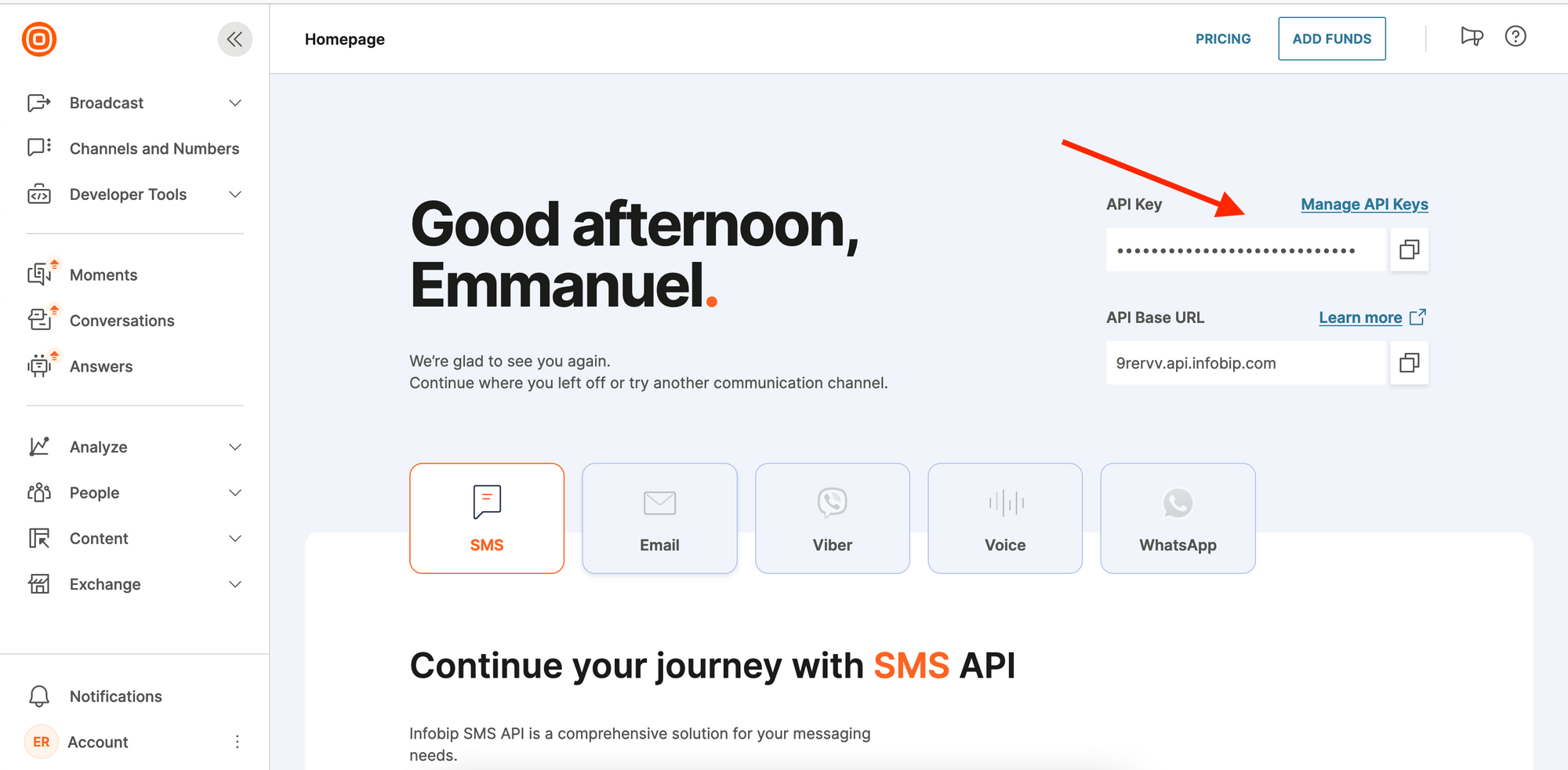
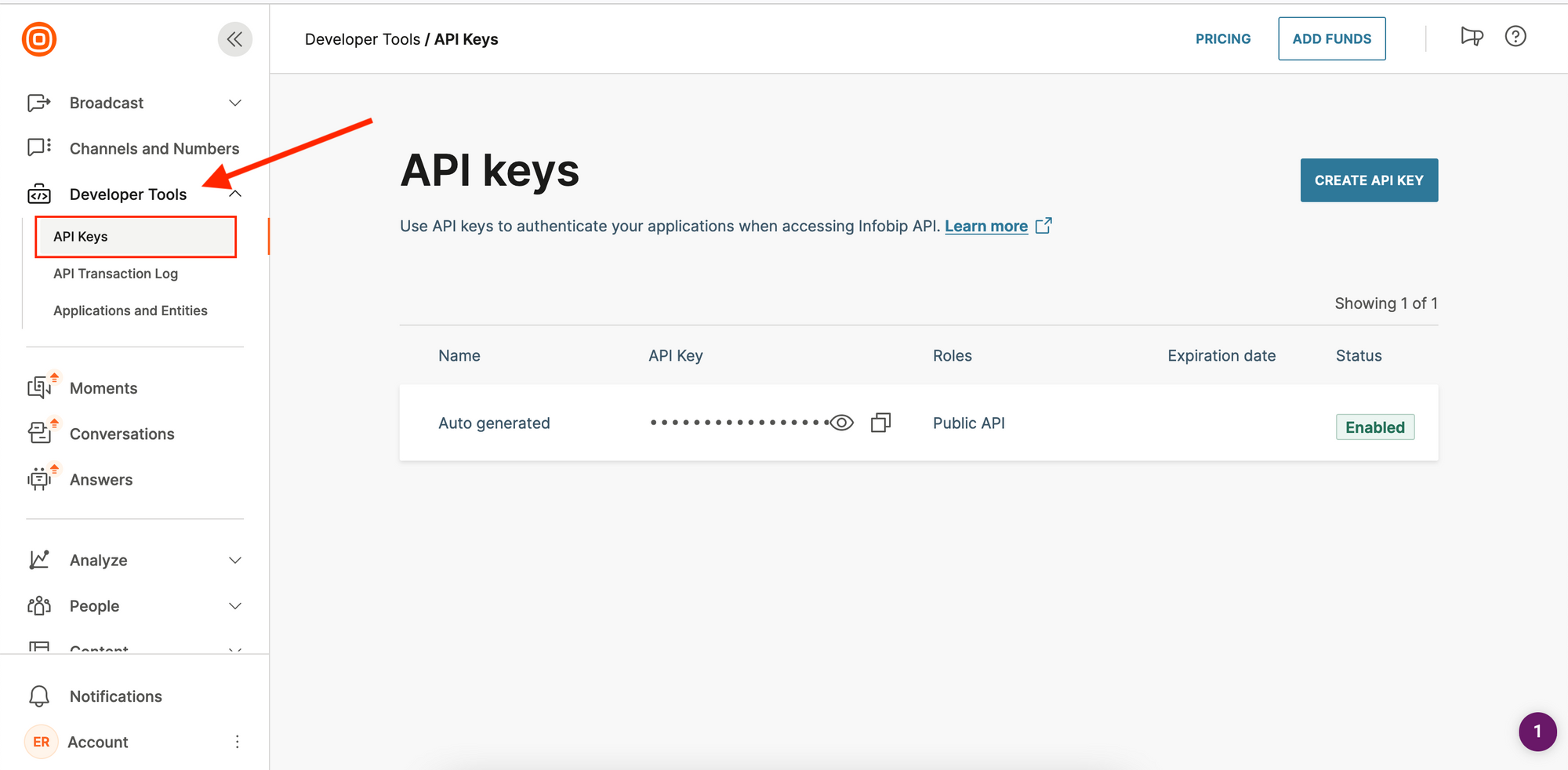
- On the sidebar (on the left), click on
Developer Tools. - This will display a dropdown from which you can then click on
API Ksysto view your API key.
- Click on the
CREATE API KEYbutton - Fill the form
- Click on
GENERATE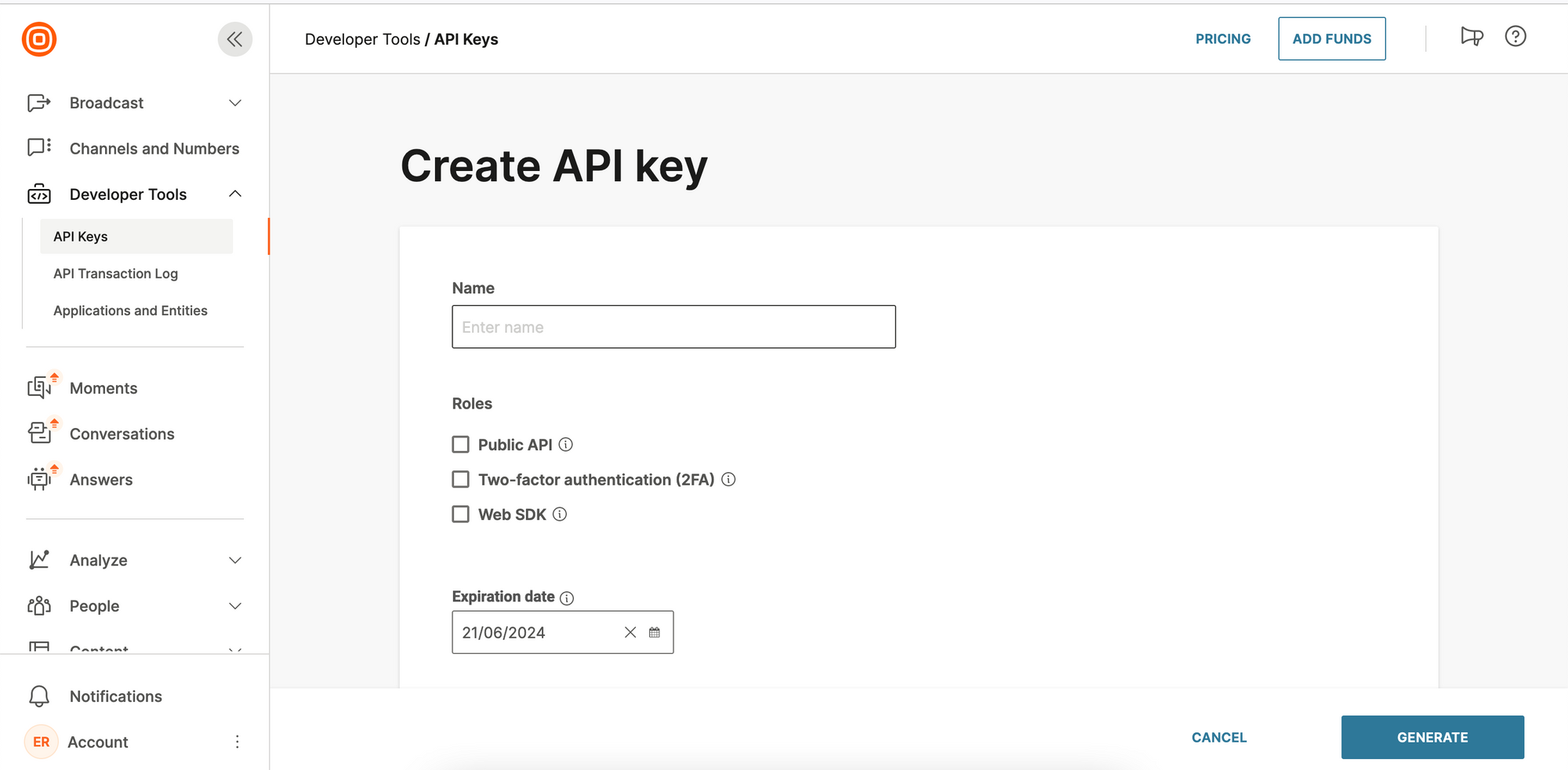
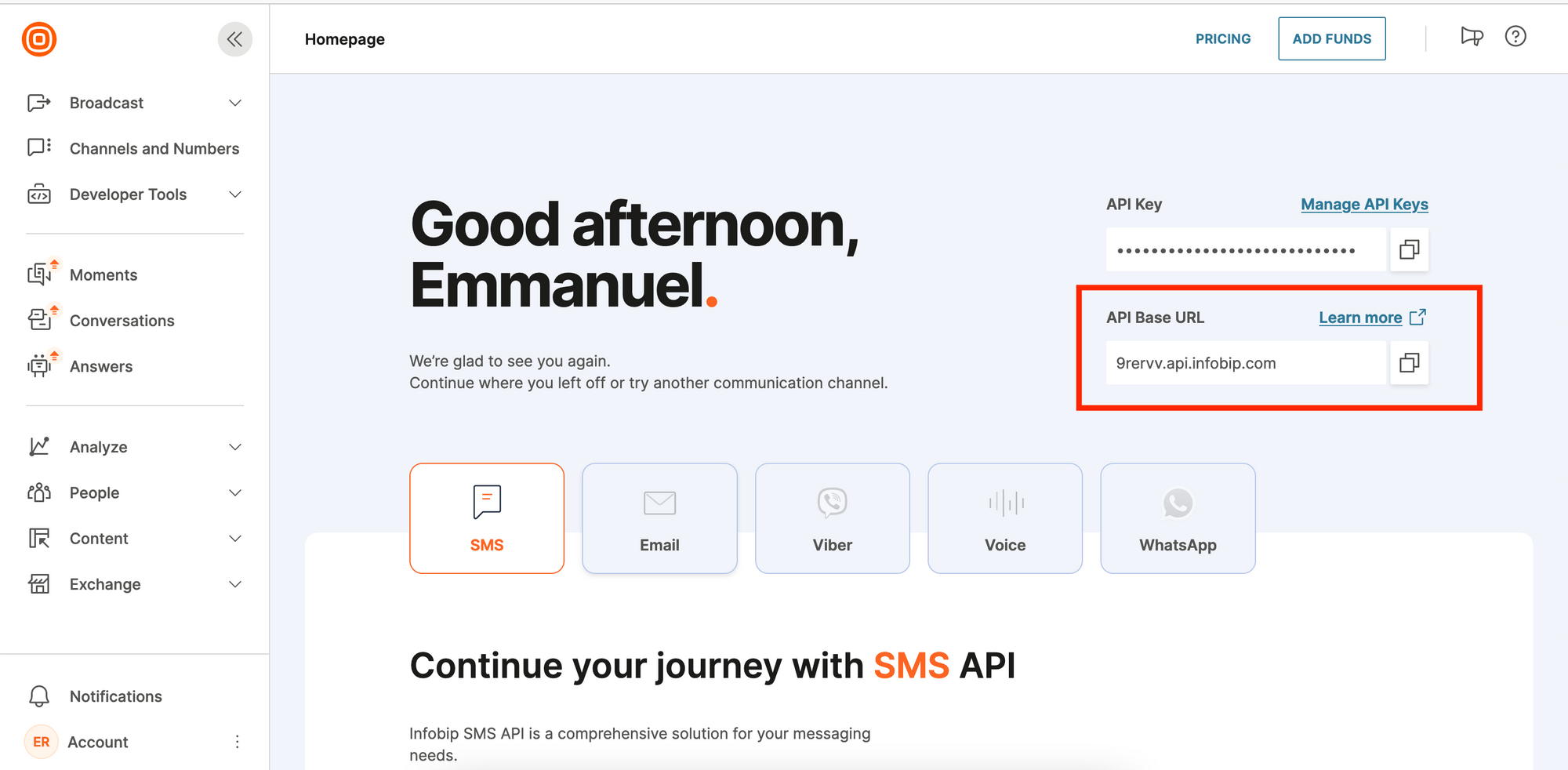
Finding the Base URL
To see your base URL, log in to the account. Once logged in, on the Homepage, you should see your base URL in this format:xxxxx.api.infobip.com.
Create an Infobip integration with Novu
- Visit the Integrations page on Novu.
- Click the “Add a provider” button.
- Locate Infobip under the SMS section and click on the Connect button.
- Enter your Infobip API Key.
- Enter your Base URL.
- Fill in the
Fromfield. - Click on the
Disabledbutton and mark it asActive. - Click on the Connect button.