

Getting Started
To use the Termii provider in the SMS channel, the first step is to create a Termii account and add your API key and Sender ID to the Termii integration on the Novu platform.Retrieving your API Key
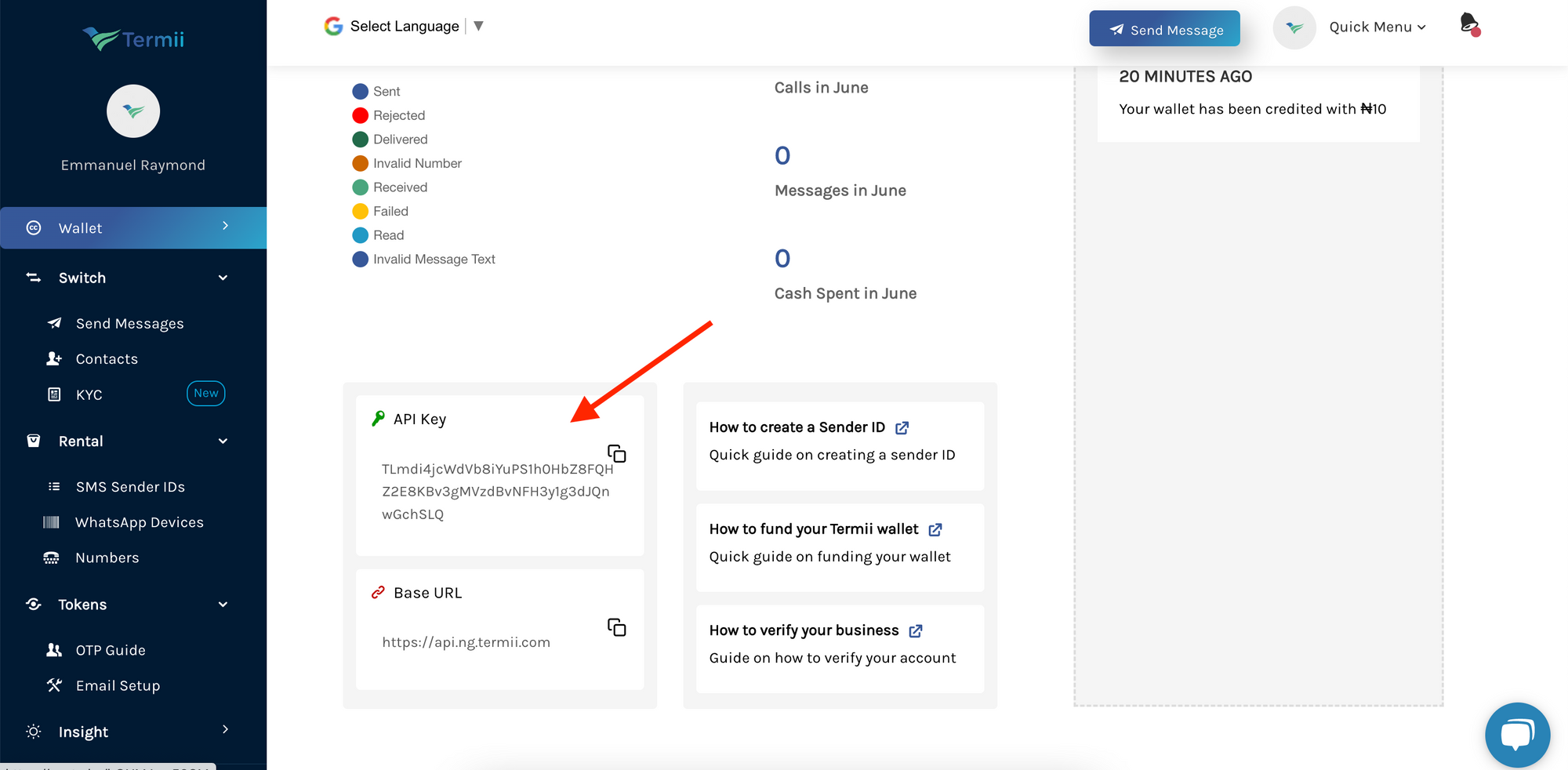
To find your Termii API key:- Sign up or Login to your Termii account.
- Navigate to your dashboard.
-
Then scroll to the bottom of the page to find your API key.
Alternatively, you can find the API key on the Settings page.
- Scroll to the bottom of the sidebar (on the left) and click on settings.
-
This will display a dropdown from which you can then click on
API Tokento view your API key.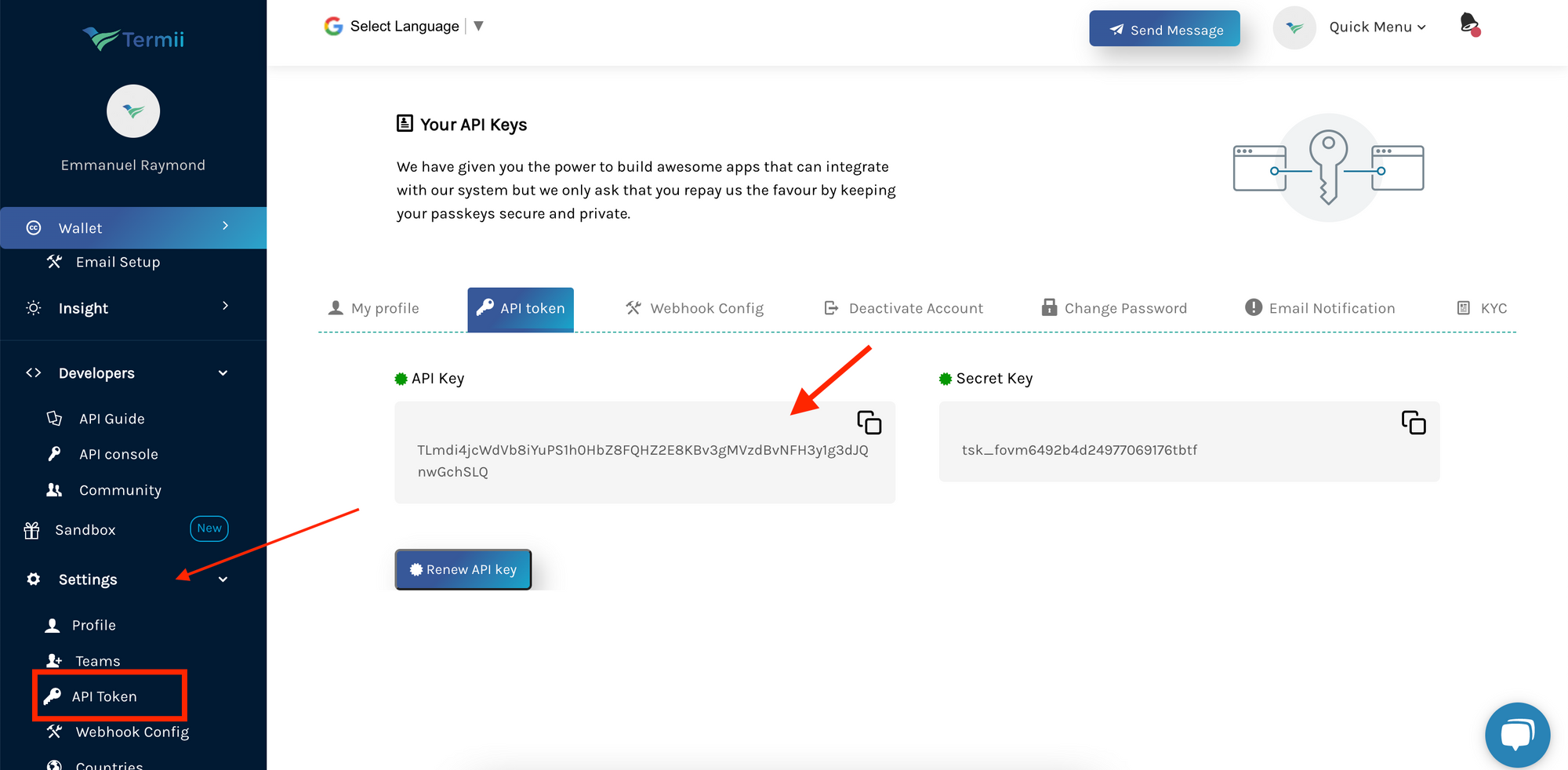
Getting your Sender’s ID
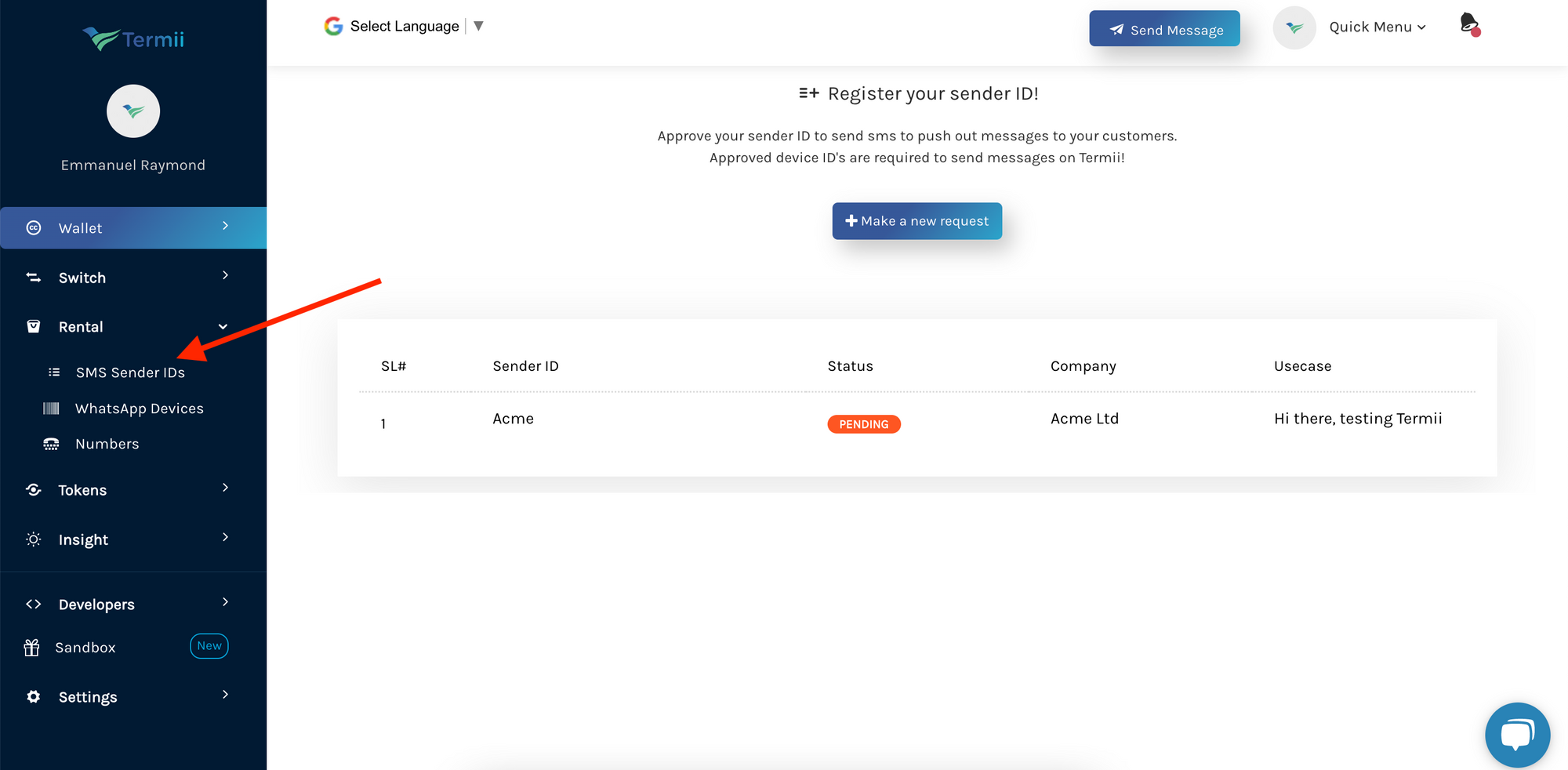
Sender IDs allow you to brand your messages as you send them to your customers. To get your Sender’s ID:- On the sidebar (on the menu on your left), click on
Rental. This will display a dropdown. Click onSMS Sender IDsfrom the dropdown options. - On the page that appears, you’ll find a list of your Sender IDs
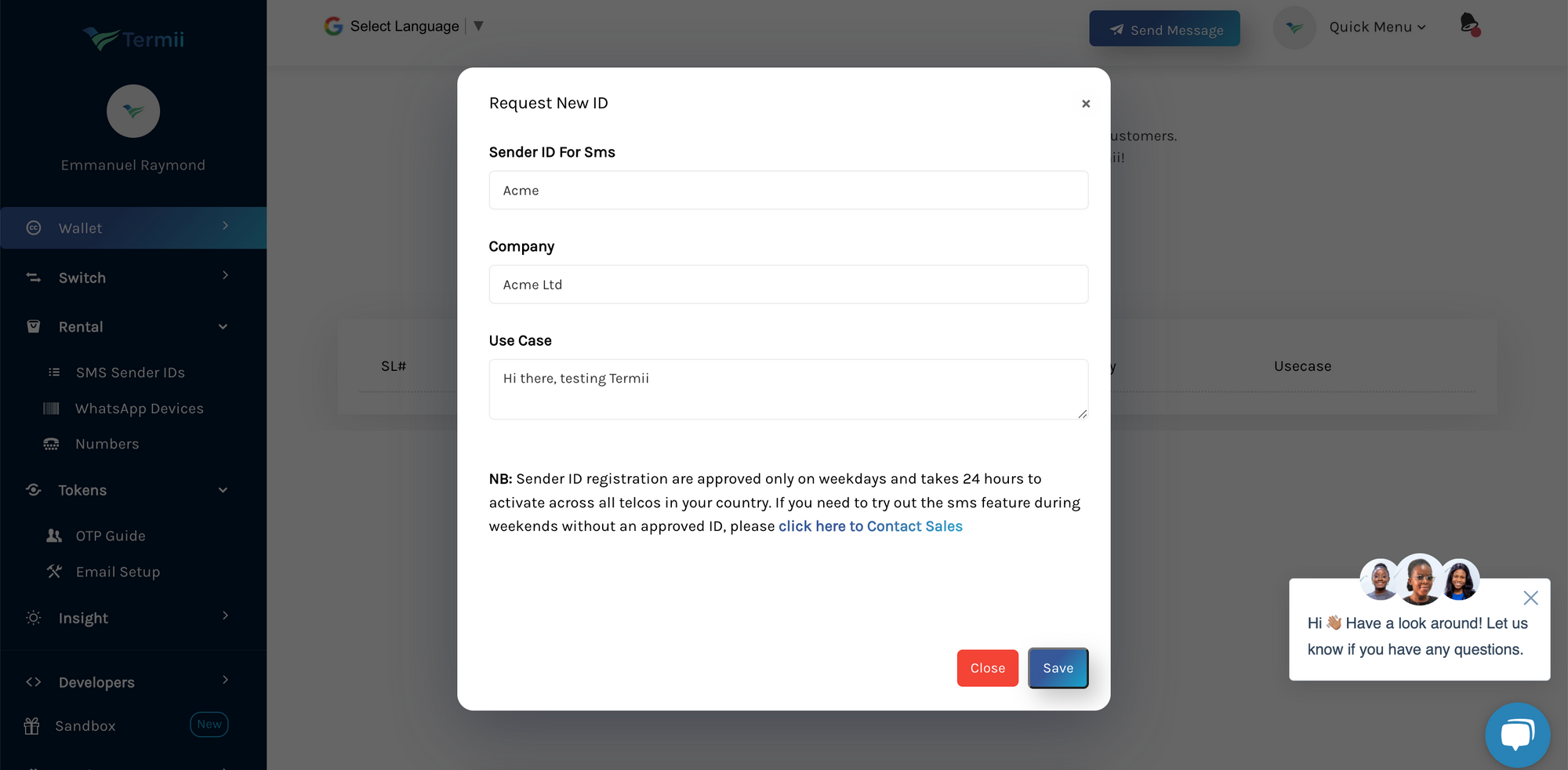
- Click on the
Make a new requestbutton to request a Sender ID. - Fill in the form
- Click on
Save
Creating a Termii integration with Novu
- Visit the Integrations page on Novu.
- Click the “Add a provider” button.
- Locate Termii under the SMS section and click on the Connect button.
- Enter your Termii API Key.
- Fill in the
Fromfield. - Click on the Disabled button and mark it as Active.
- Click on the Connect button.